It was 2:14 AM on a Thursday when our primary Model Context Protocol server just stopped responding. No errors. No warnings. The client requests were just hanging until they timed out. I spent three hours staring at Datadog dashboards before I realized the issue was so stupid I almost didn’t want to write the postmortem.
We were deploying the server using standard input/output (stdio). Actually, let me back up—someone had added a random console.log() deep inside a utility function to debug a minor data parsing issue earlier that afternoon.
That single log statement corrupted the JSON-RPC payload. The client couldn’t parse it. Everything locked up. The entire service went down because of a stray string.
The Stdio vs. HTTP Trap
And when you build these servers, you basically have two transport choices. You pipe things through standard input/output, or you run a proper HTTP server with Server-Sent Events (SSE).
Locally? Stdio is fantastic — it’s ridiculously easy to spin up. You just run the script and your local client talks to it.
In production? It’s a loaded gun pointed directly at your foot.

I learned this the hard way on our staging cluster running Node.js 22.14.0. If any third-party package, any careless developer, or any unhandled promise rejection writes plain text to stdout, your protocol is dead. The client expects strictly formatted JSON-RPC messages. It gets “Warning: Deprecated API” and immediately chokes.
So if you are building for production right now, switch to the HTTP transport. Yes, it adds overhead. You have to manage ports and deal with SSE connection dropping. But you completely isolate your application logs from your protocol transport. You can log whatever you want to stdout and your orchestration layer (Docker, Kubernetes, whatever) will capture it normally without destroying your client communication.
Logging Without Breaking Things
So how do you actually track what’s happening inside the server state if you are stubborn enough to stick with stdio?
Well, you need a dedicated logging mechanism that explicitly bypasses standard output. We ended up writing a custom Winston transport that fires logs directly to our ingestion endpoint via UDP. It felt a bit hacky.
The better approach we settled on was implementing the native notifications feature properly.
Instead of dumping debug info to logs and hoping we find it later, we configure the server to emit structured notification events back to the client for critical state changes. This keeps the transport clean and actually uses the protocol the way it was designed.
import { Server } from "@modelcontextprotocol/sdk/server/index.js";

const server = new Server({
  name: "production-data-server",
  version: "2.1.0"
}, {
  capabilities: {
    logging: {} // Enable the logging capability
  }
});

// Never use console.log in stdio mode!
// Send a proper protocol-compliant notification instead.
function logSafely(level: string, data: any) {
  server.notification({
    method: "notifications/message",
    params: {
      level: level,
      logger: "system-monitor",
      data: data,
      timestamp: new Date().toISOString()
    }
  }).catch(err => {
    // Write to stderr if absolutely necessary, never stdout
    process.stderr.write(Failed to send notification: ${err}\n);
  });
}
Memory Leaks and Context Accumulation

Let’s talk about scaling these things. AI-integrated servers hold a lot of context. That’s literally their job.
Last month, we watched memory usage on a t3.medium EC2 instance spike from 412MB to over 3.8GB in about forty seconds. The OOM killer stepped in and nuked the process. We had auto-scaling groups set up, so a new instance spun up, hit the exact same query, and died immediately. A perfect death loop.
The culprit is almost always context accumulation. You configure a tool, the LLM calls it, you fetch massive amounts of data from an external API, and you forget to garbage collect the intermediary parsing objects before returning the final formatted string to the client.
And when debugging memory issues in production servers, you can’t just take a heap snapshot easily if the server is actively handling an SSE stream. The connection drops and you lose the state you were trying to measure.
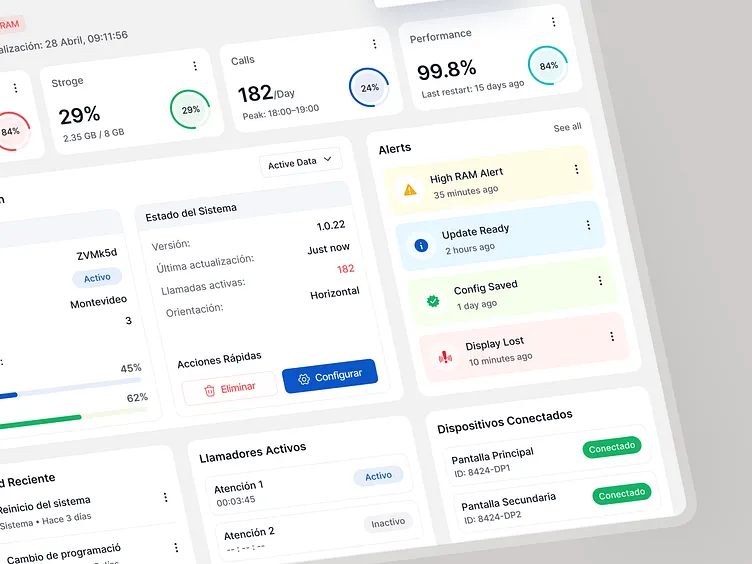
My workaround is tracking the heap size before and after heavy tool executions. I wrap our largest data-fetching tools in a memory profiling decorator. If the memory delta grows consistently over ten requests without dropping, you probably have a leak. I usually just pipe this specific metric out to Datadog as a custom statsd metric rather than relying on the server logs.
The Observability Gap
Right now, the tooling around this ecosystem is still pretty raw. We’re all basically duct-taping observability onto a protocol that was designed primarily for local desktop integrations.
But I expect we’ll see native OpenTelemetry support baked directly into the official SDKs by early 2027. The community is already complaining enough about tracing tool calls across distributed setups that it has to happen.
Until then, you have to wrap every tool call and resource fetch in your own tracing spans manually. It’s tedious. Do it anyway. When your server stops responding at 2 AM, you’ll be glad you don’t have to guess which function swallowed the payload.