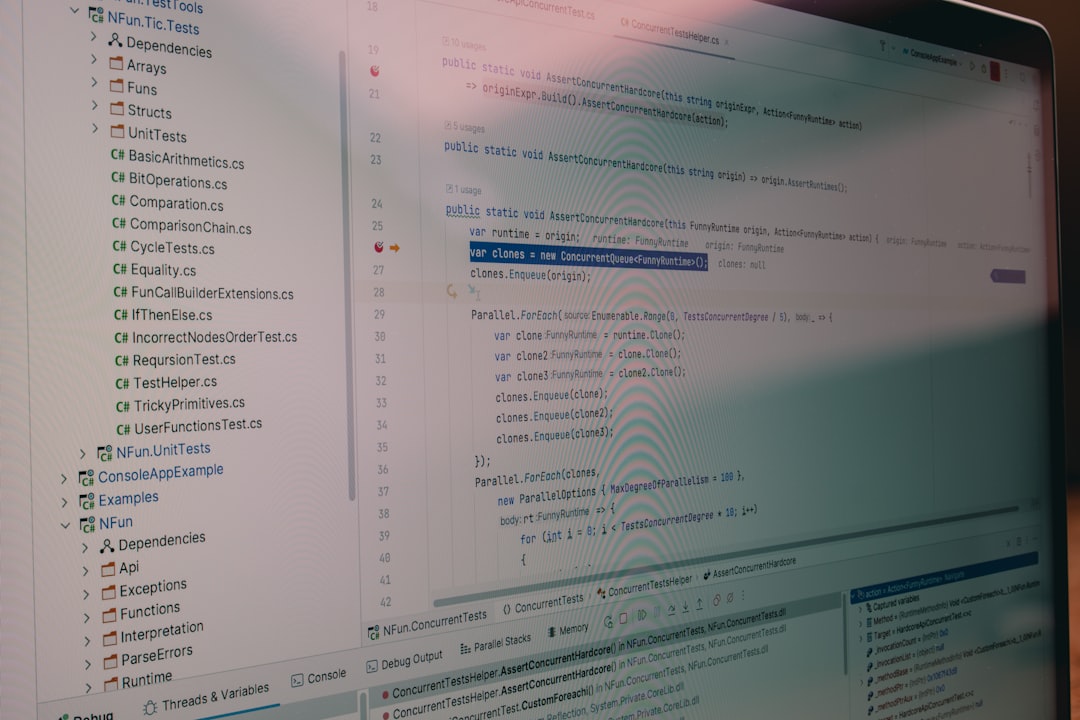
In the lifecycle of software development, writing code is often the easy part. The true test of a developer’s mettle lies in Software Debugging—the investigative art of diagnosing, understanding, and resolving defects. Whether you are dealing with race conditions in a multi-threaded C++ application, undefined variables in JavaScript Development, or memory leaks in Python Development, the ability to debug effectively is what separates junior coders from senior engineers.
Debugging is not merely about Bug Fixing; it is a systematic process of reasoning about system behavior. As modern applications grow in complexity—spanning microservices, serverless functions, and reactive frontends—the “trial and error” approach becomes obsolete. Developers must leverage a robust suite of Debug Tools and methodologies to tackle issues ranging from simple syntax errors to complex Heisenbugs that disappear when observed.
This comprehensive guide explores the spectrum of Debugging Techniques. We will move beyond basic print statements to explore Static Analysis, Remote Debugging, and strategies for handling Async Debugging in high-concurrency environments. By mastering these skills, you can reduce downtime, improve Application Debugging workflows, and ship more reliable software.
The Fundamentals: Core Concepts and Logging Strategies
Before diving into complex profilers, it is essential to master the foundational mindset of debugging. The most effective debugging technique is the implementation of the Scientific Method: observe the failure, formulate a hypothesis, predict the outcome of a test, and verify. This disciplined approach prevents the “shotgun debugging” method, where developers blindly change code hoping for a different result.
Structured Logging vs. Print Statements
While every developer starts with print() or console.log(), professional Code Debugging requires structured logging. In Python Debugging and Node.js Development, relying on standard output is insufficient for production environments. You need log levels (DEBUG, INFO, WARN, ERROR) and structured formats (like JSON) to feed into Error Monitoring systems like ELK Stack or Datadog.
Proper logging allows you to trace the execution flow without stopping the program. This is crucial for Production Debugging where attaching a debugger might halt the service for users. Below is an example of setting up a robust logging configuration in Python that aids in Backend Debugging by providing timestamps, log levels, and message context.
import logging
import sys

# Configure a logger that writes to stdout with a specific format
def setup_custom_logger(name):
    formatter = logging.Formatter(
        fmt='%(asctime)s - %(name)s - %(levelname)s - %(message)s',
        datefmt='%Y-%m-%d %H:%M:%S'
    )

    handler = logging.StreamHandler(sys.stdout)
    handler.setFormatter(formatter)

    logger = logging.getLogger(name)
    logger.setLevel(logging.DEBUG)
    logger.addHandler(handler)
    return logger

logger = setup_custom_logger('APIService')

def process_transaction(user_id, amount):
    logger.info(f"Starting transaction for user {user_id}")

    if amount < 0:
        # This provides context for the error, vital for Stack Traces analysis
        logger.error(f"Invalid transaction amount: {amount} for user {user_id}")
        return False

    try:
        # Simulate complex logic
        new_balance = 100 + amount
        logger.debug(f"New balance calculated: {new_balance}")
        return True
    except Exception as e:
        logger.exception("Unexpected error during transaction processing")
        return False

# Example usage
process_transaction(42, -50)
In this example, using logger.exception inside the except block automatically captures the Stack Traces, which is invaluable when analyzing Python Errors post-mortem. This practice separates noise from critical signals, a key aspect of Debugging Best Practices.
Frontend and Browser Debugging Techniques
Web Debugging has evolved significantly with the advancement of modern browsers. Chrome DevTools, Firefox Developer Tools, and Safari Web Inspector provide powerful environments for inspecting the DOM, analyzing network traffic, and profiling JavaScript performance.
Mastering Breakpoints and the Console
In JavaScript Debugging, simply clicking a line number to set a breakpoint is just the beginning. Modern tools allow for:
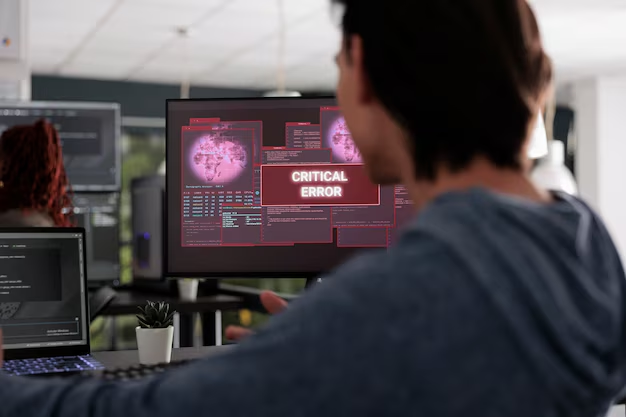
- Conditional Breakpoints: Pause execution only when a specific expression is true (e.g.,
user.id === 500). This is essential when debugging loops or high-frequency events. - DOM Breakpoints: Pause when a specific HTML element is modified, helping identify which script is manipulating the UI unexpectedly.
- XHR/Fetch Breakpoints: Pause when a specific network request is made, useful for API Debugging.
Furthermore, the Debug Console is more than a log output. You can use console.table() for visualizing arrays of objects, or console.trace() to output the current stack trace. In modern React Debugging or Vue Debugging, the debugger; statement is a hard-coded breakpoint that forces the browser to pause execution if the developer tools are open.
// Advanced JavaScript Debugging Patterns

async function fetchData(url) {
    console.time("API_Call_Duration"); // Start timer for Performance Monitoring

    try {
        const response = await fetch(url);
        const data = await response.json();

        // Visualizing data structures clearly
        console.group("User Data Analysis");
        console.table(data.users, ["id", "name", "role"]);
        console.groupEnd();

        // Hard breakpoint for deep inspection
        if (data.hasErrors) {
            debugger; // Execution pauses here automatically
        }

        return data;
    } catch (error) {
        // Detailed error logging
        console.error("Network failure:", error);
        // Trace where this function was called from
        console.trace();
    } finally {
        console.timeEnd("API_Call_Duration"); // Logs the duration
    }
}

fetchData('https://api.example.com/users');
This snippet demonstrates how to combine Performance Monitoring (using console.time) with structural inspection. These tools are vital for Frontend Debugging, especially when dealing with complex state changes in frameworks like Angular or React.
Backend, Async, and Concurrency Challenges
Moving to the server side, Node.js Debugging and API Development introduce a new set of challenges: asynchronous code and concurrency. In languages like C++ or Java, developers often face race conditions and deadlocks. In JavaScript (Node.js), while single-threaded, the event loop can still produce race-like conditions where the order of operation execution is non-deterministic.
Debugging Asynchronous Flows
Async Debugging is notoriously difficult because the stack trace often gets lost across asynchronous boundaries. When an error is thrown inside a setTimeout or a Promise chain, the original caller might be gone from the stack. To mitigate this in Node.js Development, utilizing async/await patterns generally produces cleaner stack traces than callback hell.
However, unhandled promise rejections are a common source of Node.js Errors that can crash applications. Implementing a global handler is a critical safety net for Express Debugging or general backend services.
const express = require('express');
const app = express();

// Middleware to simulate an async operation with potential failure
const asyncMiddleware = fn => (req, res, next) => {
    Promise.resolve(fn(req, res, next)).catch(next);
};

app.get('/risky-operation', asyncMiddleware(async (req, res) => {
    // Simulating a database call
    const result = await databaseOperation();
    if (!result) {
        throw new Error("Record not found");
    }
    res.json(result);
}));

// Global Error Handler - Crucial for Backend Debugging
app.use((err, req, res, next) => {
    console.error("CRITICAL ERROR CAUGHT:");
    console.error(err.stack); // Full stack trace

    res.status(500).json({
        error: "Internal Server Error",
        message: process.env.NODE_ENV === 'development' ? err.message : "An error occurred"
    });
});

// Catch unhandled rejections globally
process.on('unhandledRejection', (reason, promise) => {
    console.error('Unhandled Rejection at:', promise, 'reason:', reason);
    // Application specific logic here (e.g., alert Sentry)
});

app.listen(3000, () => console.log('Server running on port 3000'));
This code illustrates Full Stack Debugging principles by ensuring that errors in asynchronous routes are caught, logged with their stack traces, and handled gracefully. This prevents the “silent failure” scenario where an API request hangs indefinitely.
Advanced Techniques: Remote, Container, and Memory Debugging
As applications move to the cloud, System Debugging becomes more complex. You cannot always reproduce a bug on your local machine (“it works on my machine”). This necessitates Remote Debugging and deep analysis of containerized environments like Docker and Kubernetes.
Docker and Kubernetes Debugging
Docker Debugging often involves inspecting logs via docker logs or attaching a shell to a running container using docker exec -it <container_id> /bin/bash. However, for Microservices Debugging, you may need to attach a debugger to a process running inside a container.
For Python Development, tools like debugpy allow you to expose a port in your Docker container that your IDE (like VS Code) can connect to remotely. This bridges the gap between local development and containerized execution.

# Dockerfile for Remote Debugging Python
FROM python:3.9-slim

WORKDIR /app

COPY requirements.txt .
RUN pip install -r requirements.txt

# Install debugpy for remote debugging capabilities
RUN pip install debugpy

COPY . .

# Expose the application port AND the debugging port
EXPOSE 5000 5678

# Start the application wrapped in the debugger
# --listen: binds to all interfaces on port 5678
# --wait-for-client: pauses execution until the debugger attaches (optional)
CMD ["python", "-m", "debugpy", "--listen", "0.0.0.0:5678", "app.py"]
This configuration allows a developer to set breakpoints in their local IDE that trigger when code executes inside the Docker container. This is invaluable for Integration Debugging where environment variables or file system differences might be causing the bug.
Memory and Performance Profiling
Memory Debugging is critical for long-running processes. In managed languages like Java or Python, memory leaks occur when objects are unintentionally referenced, preventing garbage collection. Profiling Tools are necessary here. For Node.js Debugging, the Chrome DevTools can actually connect to a Node process to take “Heap Snapshots.” Comparing two snapshots allows you to see which objects are accumulating over time.
Similarly, Network Debugging tools like Wireshark or the Network tab in browser tools help diagnose latency issues and payload errors. For Distributed Tracing in microservices, tools like Jaeger or Zipkin visualize the request lifecycle across multiple services, helping identify exactly which service is the bottleneck.
Best Practices and Optimization
To minimize the time spent debugging, preventative measures and robust workflows are essential. Debugging Best Practices start before the code is even run.
Static Analysis and Linting
Static Analysis tools examine your code without executing it. Tools like ESLint for JavaScript Development, Pylint for Python, or SonarQube for general Code Analysis can catch potential bugs, type errors, and unreachable code early. Integrating these into your CI/CD Debugging pipeline ensures that bad code is rejected before it reaches production.
Unit Testing as a Debugging Tool
Unit Test Debugging is a proactive strategy. When a bug is reported, the first step should often be writing a failing test case that reproduces the bug. This confirms the bug exists and ensures that once fixed, it stays fixed (preventing regression). Frameworks like Jest, PyTest, or Mocha are standard Developer Tools for this purpose.
Observability and Error Tracking
In production, you cannot rely on a debugger. You need Error Tracking and observability. Implementing Debug Libraries and platforms like Sentry, Rollbar, or New Relic provides real-time alerts when JavaScript Errors or backend exceptions occur. These tools capture the user’s session data, the stack trace, and the environment state, effectively performing Debug Automation by gathering all necessary evidence for you.
Conclusion
Debugging is a multifaceted discipline that requires a blend of analytical thinking, mastery of Developer Tools, and a deep understanding of the underlying system architecture. From utilizing the Debug Console in Chrome for React Debugging to configuring remote debuggers for Docker Debugging, the techniques discussed here form the toolkit of a modern software engineer.
Remember that the goal of debugging is not just to fix the immediate error, but to understand why it happened and how to prevent it in the future. By embracing structured logging, leveraging Profiling Tools, and adopting a “test-first” mentality, you can transform Software Debugging from a nightmare into a manageable, systematic process. As you continue your journey in Full Stack Debugging, keep exploring new tools and frameworks, as the landscape of Web Development Tools is constantly evolving to meet the challenges of increasingly complex software.