I have a sticky note on my monitor that just says: “The map is not the territory.”
It’s there because I’m an idiot who keeps forgetting that what I see in my REST client isn’t what my actual users are seeing. How many times have you said, “Well, the API call works fine in [insert popular HTTP client here], so the backend must be fine”?
I said it last Tuesday. I was wrong.
The app was crashing. The API client showed a 200 OK. The logs showed… nothing useful. It wasn’t until I fired up a separate debugging proxy, wrestled with installing a root certificate on an Android emulator (which, by the way, is getting harder every single year), and finally intercepted the actual traffic that I saw it.
The mobile app was sending a header with a trailing whitespace. The backend stripped it for my manual test requests but choked on it coming from the app’s networking library. Hours wasted.
The Great Tool Schism
For the last decade, we’ve accepted a weird bifurcation in our tooling. On one side, we have our Request Builders (Postman, Insomnia, Thunder Client). These are for creating traffic. We use them to design APIs, test endpoints, and document collections.
On the other side, we have our Traffic Analyzers (Charles, Fiddler, Wireshark, Proxyman). These are for inspecting traffic. We use them when things break.
Why are these separate? Seriously.

Switching between them is a friction nightmare. You find a bug in the proxy. You copy the cURL. You paste it into the builder. You tweak a parameter. You hit send. It works. You go back to the code. You change the code. You rebuild the app. You check the proxy again. It’s the “Alt-Tab loop of death.”
Lately, I’ve been moving toward tools that just smash these two worlds together. A unified debugging proxy and REST client. If you aren’t doing this yet, you need to start. It’s messy at first—the UIs can be dense—but having the ability to “Right Click -> Replay” on a captured live request without leaving the window is a workflow cheat code.
Scripting the “Man in the Middle”
Here’s where it gets interesting. The real power of combining these tools isn’t just seeing the traffic; it’s messing with it programmatically. Most standalone proxies let you do basic rewrites (map local, map remote). But the modern crop of unified tools allows for Python-based scripting middleware.
Let’s say you’re debugging an edge case where your payment gateway returns a specific, rare error code—402 Payment Required with a specific JSON body. Triggering this naturally in a sandbox environment is often impossible because the sandbox is too stable.
Instead of mocking the entire endpoint, you just intercept the live traffic and mutate it. Here is a quick Python script I used recently to force a failure state on a specific endpoint. This sits right inside the debugging proxy:
def onRequest(context, request):
    # Let the request go through to the server normally
    return request

def onResponse(context, response):
    # Check if this is the checkout endpoint
    if "/api/v1/checkout" in context.request.url:
        # Force a specific error scenario
        response.status = 402
        response.headers["Content-Type"] = "application/json"

        # Inject the specific payload that crashes the app
        response.body = {
            "error": "insufficient_funds",
            "retry_after": 3600,
            "metadata": {
                "weird_field": None  # This null value was the culprit
            }
        }

    return response
When you run this, your actual mobile app hits the actual server, the server does the processing, but your client receives the modified disaster response. You can watch exactly how the UI handles (or crashes on) that null value in real-time.
The Mobile SSL Nightmare
We need to talk about mobile debugging because it’s the elephant in the room. Android 14 and 15 have made user-installed certificates essentially useless for debugging apps unless you modify the network_security_config.xml in your APK.
If you are still trying to route your phone’s traffic through a laptop proxy over WiFi, you know the pain. The connection drops. The IP changes. The certificate is rejected.
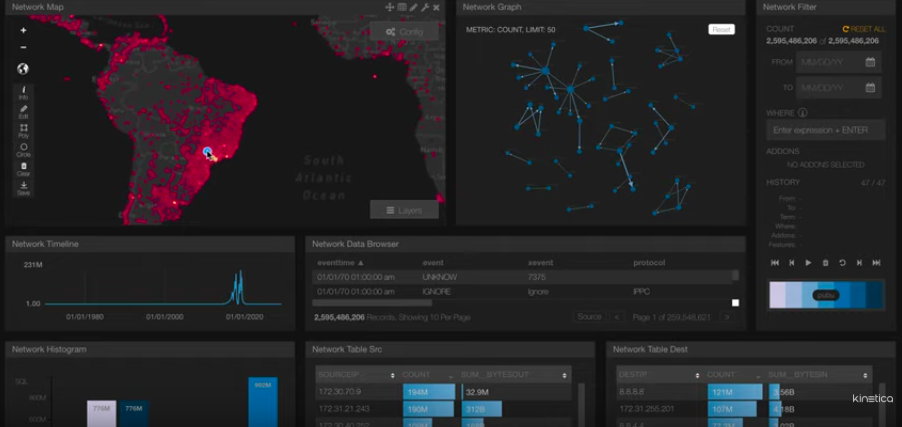
The newer approach I’m seeing—and loving—is “collaborative” debugging or direct USB tunneling that bypasses some of the WiFi proxy flake. But even then, you have to prep your app.
I keep a “debug” build variant in my Gradle file specifically for this. Don’t try to hack your production build. Just create a manifest that trusts your proxy’s CA explicitly:
<!-- res/xml/network_security_config.xml -->
<network-security-config>
    <debug-overrides>
        <trust-anchors>
            <!-- Trust user added CAs for debug builds only -->
            <certificates src="user" />
            <certificates src="system" />
        </trust-anchors>
    </debug-overrides>
</network-security-config>
If you don’t limit this to <debug-overrides>, you are going to fail your security audit. Or worse, you’ll ship a vulnerable app. I did that once in 2018. Not fun.
Performance: Native vs. Electron
Another thing I’ve noticed shifting in late 2024 and through 2025 is the rebellion against Electron. For a long time, every API tool was just a heavy Chrome tab disguised as an app. They ate RAM for breakfast.
Now, we’re seeing tools built with Flutter or Rust. The difference is tangible. When you are streaming a WebSocket connection with thousands of messages per minute, Electron apps tend to choke. They lag. The UI freezes.
Native (or near-native like Flutter) compilation means I can leave the proxy running for days without my laptop fan sounding like a jet engine. It handles large binary payloads—like images or protobufs—without crashing. If you deal with gRPC, this performance difference isn’t just nice; it’s necessary.
Just Pick One (But Pick Wisely)
I’m not going to tell you which specific tool to download. There are a few open-source ones popping up on GitHub that are fantastic, and the big commercial players are trying to play catch-up by stuffing proxy features into their clients (usually bloatware, if I’m being honest).
The point is the workflow. Stop treating “sending a request” and “watching a request” as different jobs. They are two sides of the same coin.
When you unify them, you catch bugs faster. You understand your API better. And maybe, just maybe, you’ll stop trusting that a “200 OK” in your client means your app is actually working.