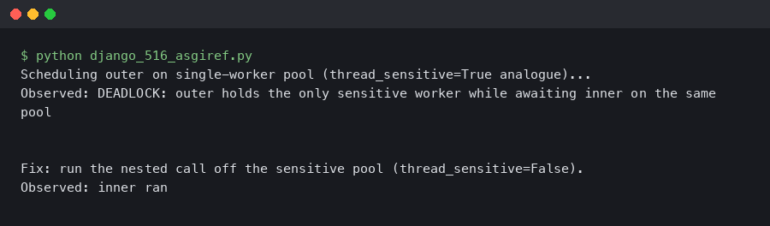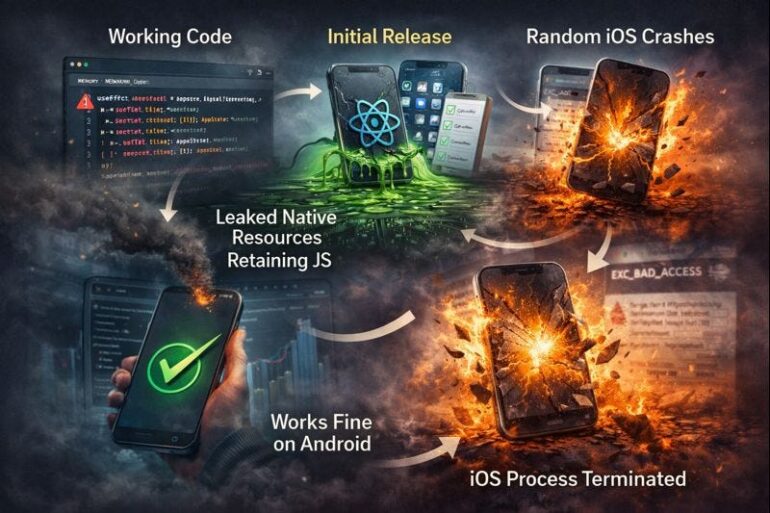
I remember the “dark ages” of 2023. You know the drill. You’d hit a nasty bug, console.log the living daylights out of your code, stare at a stack trace that made zero sense, and then—in a moment of desperation—copy the whole mess into a browser tab to ask a chatbot what went wrong.
Half the time, it would tell you to import a library that didn’t exist. The other half, it would give you a fix that broke three other things because it had no idea what the rest of your file structure looked like.
It’s 2026 now. If you are still alt-tabbing to debug, you are doing it wrong.
The Context Switch Killer
Here’s the thing that always killed my momentum: context switching. Every time I left my IDE to look up documentation or ask an LLM for help, I lost a little bit of the mental model I’d built up of the bug. It’s like trying to hold a complex math equation in your head while someone asks you what you want for lunch.
Lately, I’ve settled into a workflow that actually feels like programming rather than prompt engineering. It relies on a split-brain approach. I call it the “Architect and Mechanic” model. I’m using Claude Code directly inside Cursor for this, but the principle applies to whatever integrated setup you’re running this year.
The idea is simple. You don’t just throw code at the AI. You assign roles.
Phase 1: The Architect (Planning)
Before I touch a single line of code, I use the agent for high-level reasoning. This is the “Architect” phase. I’m not asking “fix this error.” I’m asking, “Here is the behavior I’m seeing, here is the behavior I want, and here is the current file structure. What is the plan?”
For example, last Tuesday I was dealing with a race condition in a Next.js app where user preferences weren’t hydrating correctly on the client side. The old me would have just slapped a useEffect patch on it and called it a day.

Instead, I opened the chat panel and laid it out. I didn’t paste the error immediately. I described the flow.
Context: UserSettingsProvider.tsx, usePreferences.ts
Problem: Dark mode flashes white on reload because local storage isn't read before the first paint.
Constraint: I don't want to use 'suppressHydrationWarning' if I can avoid it.
Goal: Plan a server-side cookie strategy to pre-seed the theme.
This is where the agent shines. It doesn’t just vomit code. It outlines a strategy. It tells me, “Okay, we need to move the theme reading to a middleware, set a cookie, and then read that cookie in the Root Layout.”
It acts as the Architect. It verifies the logic before I waste an hour writing code that won’t work.
Phase 2: The Mechanic (Execution)
Once the plan is solid, I switch modes. This is where the integration gets scary good. I don’t copy-paste the plan. I let the tool execute the plan, file by file.
But here’s the catch—and this is where people mess up—I don’t let it run wild. I watch the diffs like a hawk. I treat the AI like a junior dev who is incredibly fast but occasionally drunk.
When I need to dive into a specific issue, I switch to what I call “Issue Isolation” or DEBUG mode. This isn’t about generating new features; it’s about interrogation.
I had a weird bug yesterday where a Python backend was returning a 400 Bad Request only when a specific optional field was omitted. The validation logic looked fine.
# The code looked innocent enough
class UpdateProfile(BaseModel):
    username: Optional[str] = None
    bio: Optional[str] = None
    avatar_url: Optional[str] = None

    @root_validator(pre=True)
    def check_something(cls, values):
        # ... logic here ...
        return values
I pointed the agent at this specific function and asked it to simulate the validation flow with missing data. It didn’t just guess; it traced the Pydantic version I was using (v2, thank god) and realized my root validator was modifying the dictionary in place in a way that dropped keys unexpectedly.
The fix was trivial, but finding it would have taken me twenty minutes of stepping through a debugger. The agent found it in ten seconds because it has the context of the library’s documentation indexed alongside my code.

Exploration vs. Debugging
The biggest change in my mental model for 2026 is distinguishing between Exploration (ASK mode) and Isolation (DEBUG mode).
Exploration is for when I drop into a legacy codebase that I didn’t write. I don’t want to change anything yet. I just want to know where the bodies are buried. I’ll highlight a massive function and ask, “Explain the data flow here, specifically how the user ID gets from the request to the database.”
It gives me a tour. It’s like having the original lead developer sitting next to you, explaining their questionable architectural decisions.
Isolation is different. That’s for when things are broken. That’s when I restrict the context. I don’t want the AI thinking about the whole app. I want it looking at these three files and nothing else. Too much context confuses the model just as much as it confuses a human.
The Human in the Loop
There is a danger here, obviously. It’s easy to get lazy. I’ve caught myself approving diffs without really reading them, only to realize ten minutes later that the “fix” introduced a memory leak.
The tool is the mechanic. It turns the wrench. But if you, the Architect, tell it to loosen the wrong bolt, the engine is still going to fall out. You have to maintain that high-level reasoning. You have to be the one to say, “No, that implementation is too complex, simplify it.”
My workflow now looks like this:
- Plan: Chat with the agent to agree on an approach.
- Execute: Let the agent scaffold the changes.
- Verify: Review the code. If it looks wrong, I don’t fix it manually. I tell the agent why it’s wrong and make it fix it. This reinforces the context.
- Debug: If it fails, isolate the specific error and use the agent to trace the execution path.
It’s faster. Much faster. But more importantly, it keeps me in the flow state. I’m not jumping between tabs or context switching. I’m just… solving problems.
Just don’t trust it blindly. It’s smart, but it doesn’t have to wake up at 3 AM when the production server crashes. You do.
Common questions
What is the Architect and Mechanic debugging workflow?
It’s a split-brain AI coding approach where you assign roles to the agent. The Architect phase is high-level planning: you describe the behavior, problem, constraints, and goal, and the agent outlines a strategy before any code is written. The Mechanic phase executes that plan file by file while you review the diffs, keeping you in flow instead of context-switching between tabs.
How do I stop context switching when debugging with an AI assistant?
Run the agent inside your IDE rather than alt-tabbing to a browser chatbot. The article uses Claude Code inside Cursor so planning, execution, and debugging happen in one place. Leaving the IDE to look up docs or paste code into a separate tab destroys the mental model you’ve built of the bug, which is the real momentum killer during debugging sessions.
When should I use ASK mode versus DEBUG mode with an AI coding agent?
Use ASK mode (Exploration) when entering an unfamiliar or legacy codebase to understand data flow without changing anything, like asking how a user ID travels from request to database. Use DEBUG mode (Isolation) when something is broken: restrict the agent’s context to only the relevant files, because too much context confuses the model and dilutes the interrogation.
How do I fix a Pydantic root_validator dropping keys on optional fields?
The article describes a Python backend returning 400 Bad Request when an optional field was omitted. The cause was a Pydantic v2 root_validator with pre=True that modified the values dictionary in place, unexpectedly dropping keys. Pointing an AI agent at the specific function and asking it to simulate the validation flow with missing data surfaced the in-place mutation as the culprit.